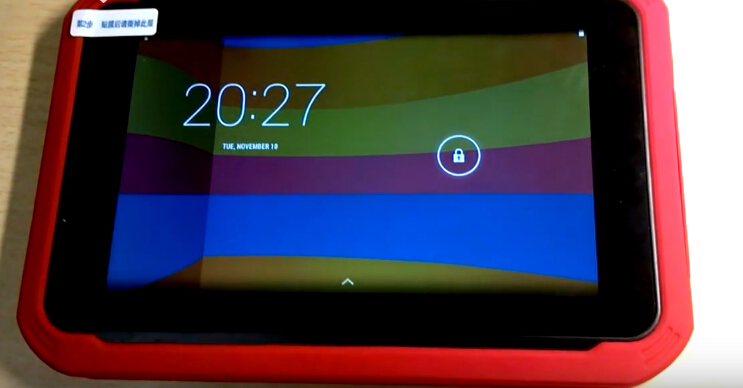
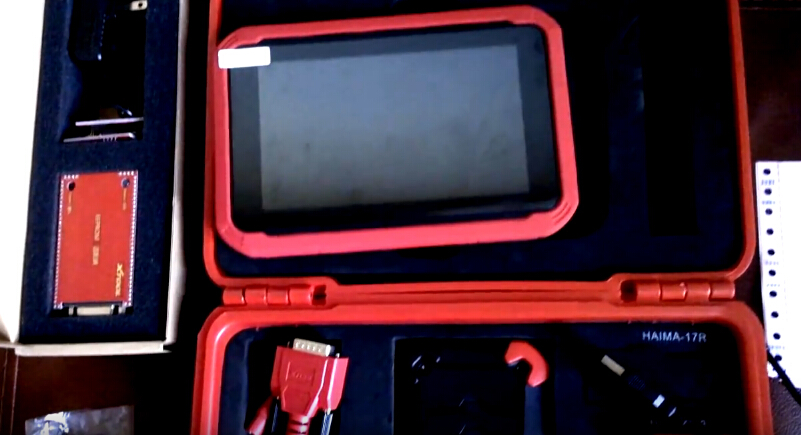
Xtool tools are compatible with protocols of OBDII, EOBD, JOBD, Canbus, KWP200, etc, and works with many car & truck makes around the world
Tuesday, March 22, 2016
XTOOL iOBD2 Mini OBD2 EOBD Scanner Bluetooth 4.0 iOS/ Android based $26
XTOOL iOBD2 Mini OBD2 EOBD Scanner Bluetooth 4.0 iOS/ Android based is newly made by XTOOL Company, it is available at uobdii.com and only for $25.99 free shipping, compared with the previous version, it will be the most cheap working Iobd2 MINI scanner.
Who is Xtool Company?
Xtool Company made many Iobd2 scanners based on any of Android, iPhone, IOS and iPad, most customer feedback they are worth the money.
Who is uobdii.com?
Xtool Company tools are authorized to sell at uobdii.com, they cooperate for more than 2 years, and uobd2 already sell more than 1000 pieces of Iobd2 scanners.
Iobd2 scanner list: http://www.uobdii.com/producttags/xtool-iobd2.html
And read all posts on Iobd2 tools here: http://www.iobd2.org/iobd2/
Following are on XTOOL iOBD2 Mini OBD2 EOBD Scanner details:
Features:
iOBD2 Mini OBD2 EOBD Scanner made by Xtool is working stably, although it is higher price than elm327.
It is packed with one iOBD2 unit and one manual book and weight only 0.1KG
( 0.22LB )
http://www.uobdii.com/wholesale/xtool-iobd2-mini-scanner.html
OS:
iOS and Android based
Bluetooth Connection:
Bluetooth 4.0
APP advice:
IOBD2 (search and download it from Apple store and Google Play Store)
XTOOL iOBD2 Mini Bluetooth workable protocols:
1. ISO15765-4 (CAN)
2. ISO14230-4 (KWP2000)
3. ISO9141-2
4. J1850 VPW
5. J1850 PWM
iOBD2 Mini OBD2 EOBD Scanner Function:
1.Diagnose function:
Reads DTCs: Reads the current DTCs stored in the engine and shows their detailed information.
Clear DTCs: Clears the current DTCs.
Live Data: Reads the parameters related to the ECU.
Freeze Frame Data: ECU will set DTCs and record the data stream of the car engine at the moment when emissions related faults occurred. And the data is called freeze frame data.
Readiness Test: Shows the status of readiness test. Click Readiness test in the menu, the screen will display the test status of the car.
Support and Complete: It means the car supports this test and has completed.
Support but Incomplete: It means the car supports this test but has not completed.
Not supported: It means the car does not support this test.
2.My Dashboard function:
Idle Mode:
show you the engine rotational speed, water temperature, battery voltage, Air-intake temperature, instant fuel consumption (static), average fuel consumption. Ever wished you had your own customizable gauges, showing only the data you were interested in (Picture 2)
Cruise mode: show you the vehicle speed, The current engine load, water temperature, Vehicle travel time, vehicle travel average speed, Continuous running mileage, instant fuel consumption(dynamic),Ever wished you had your own customizable gauges, showing only the data you were interested in.(Picture 3)
Sport mode: show you the engine rotational speed, vehicle speed, water temperature。Ever wished you had your own customizable gauges, showing only the data you were interested in.(Picture 4)
Performance mode: show you the vehicle speed, capacity, torque, horsepower and you can also customize your gauges here (Picture 5)
3.Performance Test Function
Accelerate/Decelerate test: Test acceleration / deceleration process time and distance. (Picture 8)
0 to 400m acceleration test: Test spending time from 0 to 400 meters. (Picture 9)
4.Settings
It allows users to change the unit of temperature, mileage, vehicle speed, fuel, fuel consumption, torque and horsepower, set the alarm for over speed, fatigue driving and water temperature, and set parameters of vehicle weight, fuel consumption coefficient and vehicle speed coefficient according to their needs on [Customize My Dashboard] (Picture 10) .
5.Driving data such as trip distance, average speed, fuel consumption and acceleration time will be recorded.
Using Tips:
1)Please plug the XTOOL IOBD2 mini adapter correctly into your car by following the installation instructions before operating.
2)When driving the car, please do not operate this unit. Any distraction may cause an accident.
3)IOBD2 mini communicates with cars via Bluetooth. Please do not use this product in the places with strong electro-magnetic interference in order to ensure communication proper.
More details please visit:
Monday, March 21, 2016
Xtool X-100 Pro key pro error dealer code does not exist 860010A1 when register
A little part of users feedback Xtool X-100 Pro key pro get error message reading “dealer code does not exist 860010A1” when they try to register.
How to solve?
Actually, Xtool X-100 Pro does not need register; you just directly download the “update tool” from official site (www.xtooltech.com) and to update.
After download, open it and use device serial number and register password to log in and update, do not use your original register user name and password.
Friday, March 18, 2016
What can XTOOL X-100 PAD do?
obd2 offers the realest information for you to know the function of X100 PAD, by physical display.
Physical display:
Select OBD
>>AUTO SCAN
Other functions:
SAE J1850 PWM, SAE J1850 VPW, ISO 14230-4, ISO 9141-2, ISO 15765-4,HEL
>Read Codes
Other functions:
Erase Codes, Live Data, Freeze Frame, Vehicle Information, Component Test, On-Board Monitor Test, O2S Monitoring Test,I/M Readiness
>Stored Codes
Other functions:
Pending Codes, Permanent Codes
>>Vehicle Information.
Turn key on with engine off.
>VIN
Other functions:
Calibration ID, Calibration ID Number, In-use Performance Trackong-spark ignition engines, ECU NAME
>>On-Board Monitor Test
Functions included:
Exhaust Gas Sensor Monitor B1S1, Catalyst Monitor Bank 1, VVT Monitor Bank, Misfire Cylinder 1 Data, Misfire Cylinder 2 Data, Misfire Cylinder 3 Data, Misfire Cylinder 4 Data
>>O2S Monitoring Test
Functions included:
Bank 1-Sensor 1
Bank 1-Sensor 2
>>Live Data
Case: Mazda 3 all key lost procedure
Select IMMOBILIZATION
Supported vehicles:
>>Mazda>>No need pincode>>Mazda 3
>>New model>>all key lost(MIN keys required:2,press ENTER to continue)
Customer feedback:
Read more about XTOOL X-100 PAD scanner, please go to
http://www.uobdii.com/wholesale/xtool-x-100-pad-tablet-key-programmer.html
Thursday, March 17, 2016
(Attention) Original XTOOL PS2 GDS Gasoline wireless connection
Dear original Xtool PS2 GDS Gasoline diagnostic tool old user,
As known, Xtool PS2 GDS Gasoline supplied by www.uobdii.com adds one new blue adapter used for communicating via wireless, therefore if you are accustomed to the wired connection way, you are advised to connect Xtool PS2 wireless to the vehicles in this way.
Note:If the WIFI icon on the screen is not ×, then it mean the machine is under wireless communication. After you connect the machine like it, then it will communicate automatically.
Source:
http://www.uobdii.com/wholesale/xtool-ps2-gds-gasoline-bluetooth-diagnostic-tool.html
Wednesday, March 16, 2016
Xtool X100 pro vs. OBDSTAR X-100 PRO auto key programmer
Uobd2 has extracted two X100 automotive key programmers: Xtool X-100 pro and OBDSTAR X-100 PRO. What’s the difference between the two key programmers? Check the table list below:
Item
|
XTOOL X-100 pro auto key programmer
| |
Item No
|
SK106
|
SK164
|
Manufacturer
| ||
Language
|
English only
|
English/simplified Chinese/ traditional Chinese
|
Update
|
Update online
|
Update online
|
Function
|
Key programming,
Immobilizer programming,
ECU programming,
VIN programming,
reset ECM& reset immobilizer,
remote controller programming
|
Key programming,
Immobilizer programming,
ECU programming,
VIN programming,
reset ECM& reset immobilizer,
remote controller programming,
Immo Pin code reader, OBD software,
odometer correction via OBD,
EEPROM chip read
|
Toyota G chip
|
YES
| |
EEPROM
|
NO
|
YES
|
Proton
(Malaysia
car brand)
|
YES
|
NO
|
Quality
|
Original best quality
|
High quality
|
NOTE
|
1) Inherited the overall look of the original X -100 +,
X100 PRO changed the new silicone button,
feel more comfortable
2) X-100 PRO is able to read EEPROM,
while X-100+/Plus cannot.
But you need to order EEPROM Adapter for X-100 Pro additionally.
3) X-100+ supports Porton function,while X-100 PRO cannot.
4) Both X-100+ and X-100 PRO can be updated online,
but in different official website.
| |
Tuesday, March 15, 2016
XTOOL X-100 PAD, any good?
Want to buy an original XTOOL X100 PAD, but is it any good?
Sources from XTOOL factory are here.
(original x-100 pad is authorized to obd2 express, you can refer here also
Monday, March 14, 2016
How to register XTOOL X100 PAD
Here is the step-by-step instruction on how to register original XTOOL X-100 PAD.
Registeration steps:
1.Connect the X-100 pad to the network or wifi.
2.Start X100 tablet to go to the interface below
3.The activation code in on the cover of X-100 PAD user manual book.
4. Complete all information in the start interface, then click Activate.
Note: The login account should be an email.
Do not forget your password.
The seller and factory are not responsible for this.
5. You will come to this interface after successful activation.
Done!
If you want to know more about XTOOL X100 PAD, please visit:
http://www.uobdii.com/wholesale/xtool-x-100-pad-tablet-key-programmer.html
Subscribe to:
Posts (Atom)